UI/UX & wireframing

Gergő Pintér, PhD

gergo.pinter@uni-corvinus.hu

user interface (UI) / user experience (UX)

A person’s perceptions and responses that result from the use or anticipated use of a product, system or service.

– ISO 9241-210, Ergonomics of human-system interaction

  • graphical user interface (GUI) is visual representation on digital control panels
  • UX is about how one feels using that interface
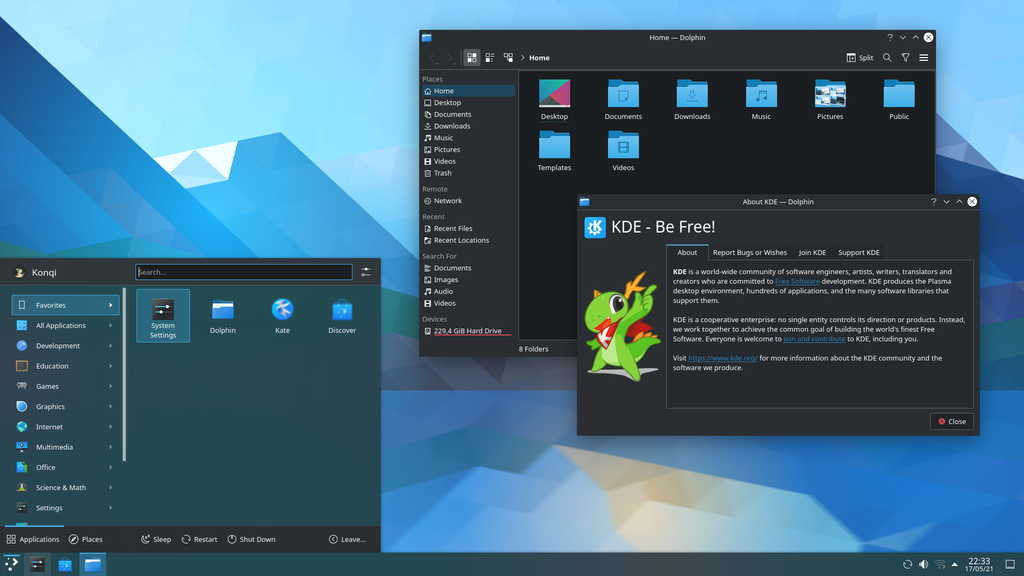
user interface KDE Plasma 5.22 from Wikimedia CC BY-SA

user interface (UI) / user experience (UX)

according to Scott Jenson, the most important thing in design is empathy

understanding
  • learn about your “users”, convert them into people
  • market insight
  • user tests, focus groups, surveys, interviews | requirement elicitation
bridging
  • use that learning to mold technology into products that meet real needs
  • new products
  • what is easy/hard/important? | analysis and negotiation

source: The Paradox of Empathy by Scott Jenson

user interface (UI) / user experience (UX)

according to Scott Jenson, the most important thing in design is empathy

flowing
  • simplify the structure of the product to streamline use
  • intuitive design
  • paper sketches, mockups, motion studies, journey maps | diagramming
refining
  • sweat the details, get the little things right that save time and boost value
  • delight users
  • color themes, animations, copywriting, styleguide, icons | implementation

source: The Paradox of Empathy by Scott Jenson

optional reading on copywriting: What is UX Copywriting? by Sakshi Jonwal [1]

principle of least astonishment

If a necessary feature has a high astonishment factor, it may be necessary to redesign the feature.

Michael F. Cowlishaw [2]

  • proposes that a component of a system should behave in a way that most users will expect it to behave
  • therefore not to astonish or surprise users

IKEA on TESAMMANS collection

Each piece focuses on an unexpected yet harmonious palette marked by surprising colour combinations and playful patterns.

February 2024, IKEA and Raw Color unveil the colourful TESAMMANS collection

wireframe

  • a wireframe is an outline / blueprint / concept art of a webpage or application
  • can be hand drawn on paper or built out digitally
  • provides visual understanding of page structure, layout, user flow, functionality and intended behaviours
  • presented to stakeholders before the interface is coded

source: [3]

wireframing
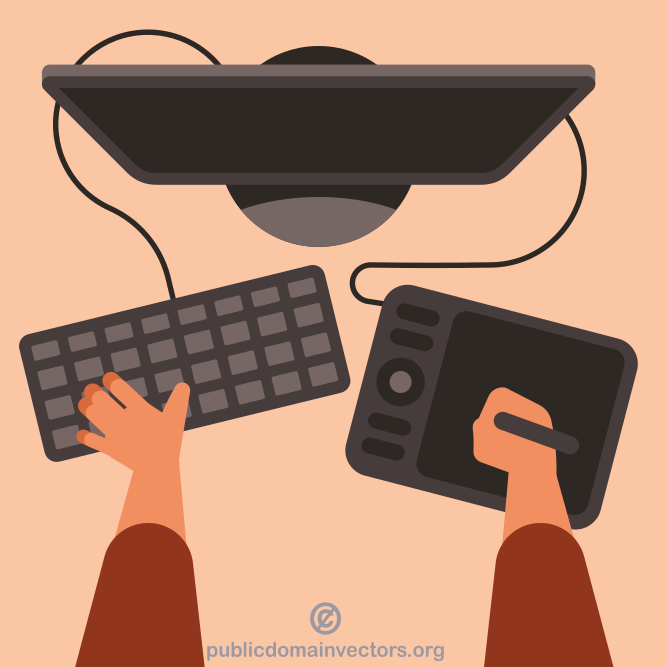
  • responsibility of the UI/UX designers
  • occurs during the exploratory design phase
    • experimenting
  • iterative process
  • iterations are presented to the stakeholders to gain feedback
  • some professional tools: Figma, Balsamiq, Sketch

based on: [3]

design prototyping

Interaction Design Foundation [4] | CC BY-SA 4.0

types of wireframes

low-fidelity
mid-fidelity
high-fidelity

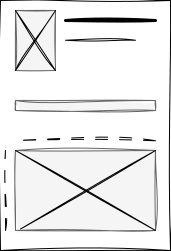
low-fidelity wireframe

  • first sketch
  • simple
  • rough visual representations of a webpage
    or application
  • don’t consider scale or pixel accuracy
  • don’t include actual content, typography, colors
    • image: boxes with an X
    • text: scrible
  • might be hard to undersand

source: [3]

mid-fidelity wireframe

  • provides more precise representations of the layout
  • for exploring design ideas, establishing spacing and buttons, and user flow
  • still don’t include images, typography
    or detailed content
    • but show more details regarding components and features
  • no colors, grayscale
  • usually made with digital tool

source: [3]

hi-fidelity wireframe

  • exploring complex concepts, finalising design
  • provides pixel-specific layouts
  • usually have actual images and written content
  • created using a digital tool
  • feature actual typography, detailed features, design elements (logos) and menu systems
  • may presented as initial prototypes
    • interactive, clickable

source: [3]

wireframe map

shows user flow, ~ user story map flow

prototype

  • prototypes allow to experience interactions
  • clickable, imitates the behaviour
  • construction is similar to the wireframe map
    • screens are linked by flow,
    • the actual UI elements triggers the change
  • low–high fidelity could work

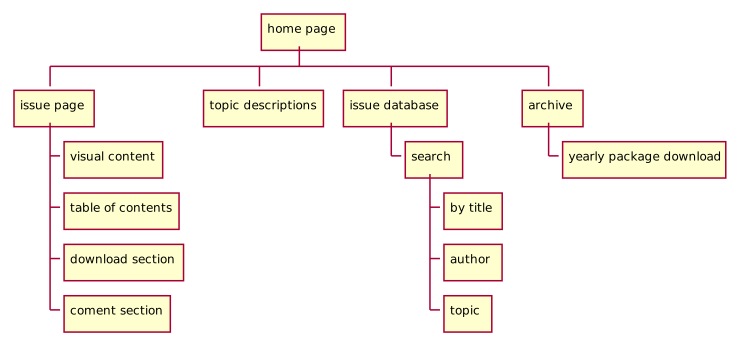
sitemap

  • similar to a wireframe map but for web sites
  • for design, documentation
  • also for machine processing
    • for web scrawlers
    • sitemap.xml

sitemap as wireframe map

some free tools

references

[1]
S. Jonwal, “Https://www.youngurbanproject.com/what-is-ux-copywriting/.” https://chrisloy.dev/post/2025/12/30/the-rise-of-industrial-software , 31-Mar-2025.
[2]
M. F. Cowlishaw, “The design of the REXX language,” IBM Systems Journal, vol. 23, no. 4, pp. 326–335, 1984.
[3]
L. Bruton, “What is wireframing? A complete guide.” https://www.uxdesigninstitute.com/blog/what-is-wireframing/ , 08-Sep-2022.
[4]
Interaction Design Foundation, “What are prototypes?” https://www.interaction-design.org/literature/topics/prototypes , 17-Oct-2019.